CleanTheBank
Independent Systems Hub

Clean The Bank! Wiki & Systems Index

A compact reference for confirmed gameplay systems, item counters, vault rooms, leaderboard mechanics, and direct player guides for Clean The Bank! on Roblox.

Direct Answer

Clean The Bank! Systems & Task Navigation

Clean The Bank! is a cooperative Roblox puzzle experience developed by NightSync Studio where up to 20 players clean up thousands of scattered items inside Global Union Bank. This wiki index maps out confirmed mechanics, clarifies version observations, and directs players to specialized guides.

Unlike combat or gacha RPGs, Clean The Bank! centers entirely on spatial organization, item recognition, inventory expansion, and team efficiency. Players inspect objects, carry them into designated vault rooms, and deposit them into matching green silhouette slots while racing against the clock.

This hub serves as an independent reference. Review the confirmed core systems below, check the 1,790 item observation, or jump straight to the task guide you need.

Confirmed Mechanics

Clean The Bank Core Systems Index

The 5 core gameplay systems confirmed in Clean The Bank! on Roblox. Each system addresses a specific part of the bank cleanup loop.

Gameplay System

1. Item Sorting & Green Silhouette Matching

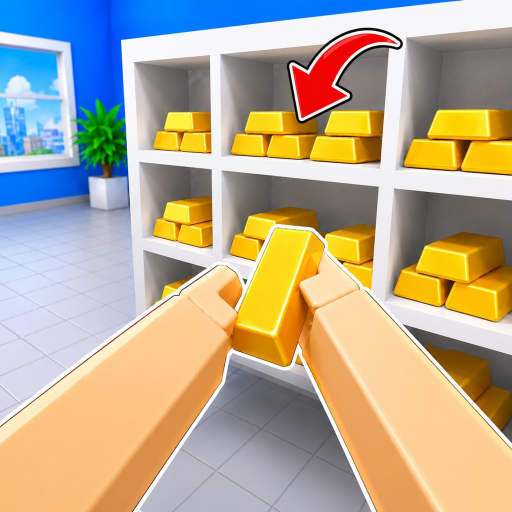
Pick up misplaced bank valuables from the floor and match them to green glowing 3D silhouette outlines on storage racks and display shelves.

Players use E (or Click) on PC and RT on controller to pick up or place items. Inspecting an item with R (or RS) helps determine which room or shelf it belongs to. Items must be dropped with F (or LT) if carried in error.

Gameplay System

2. Themed Vaults & Storage Rooms

Global Union Bank features dedicated storage zones including Copper Vault, Gold Vault, Gems room, and Trophy room.

Different item types belong in specific rooms. For example, Gold Bars belong in Gold Vault storage areas, while distinct artifacts belong in the Trophy room. Room assignments for items like Gold Diamond remain unverified in sampled footage.

Gameplay System

3. Observed Inventory Capacity & Upgrades

Observed carrying capacity on the HUD and the in-game Cash and Upgrades interface.

Gameplay HUD frames show starter inventory capacity states (such as 0/1, 1/1, and 3/3). The interface includes an Upgrades menu (Y key on controller or HUD button) and Cash display, though full pricing and multiplier details remain unconfirmed.

Gameplay System

4. Magic Ability (Keybind G)

Official PC controls list G as the Magic Ability input, though in-game mechanics remain unconfirmed.

The official PC controls explicitly list G as the Magic Ability input. Specific gameplay effects, cooldowns, or active utility functions are not documented in official developer sources.

Gameplay System

5. Fastest-Time Leaderboard Competition

Compete solo or in co-op squads of up to 20 players to finish cleaning Global Union Bank in the lowest possible time.

The in-game leaderboard records completion speed. While community squads often divide vault rooms during co-op sessions, team strategies are player-devised rather than official rules.

HUD Counter Analysis

Clean The Bank 1,790 Items: What the Counter Means

Understanding the total item count displayed in gameplay footage and how to interpret your active server counter.

The 1,790 Items Observation

Players frequently search for clean the bank 1790 items after noticing the top-left HUD counter in video playthroughs recorded in August 2026. In those recorded runs, the initial round counter showed Items: 0 / 1,790.

This figure represents the total count of misplaced objects distributed across all bank rooms, desks, hallways, and vault chambers that need to be collected and returned to their proper storage slots.

Live Server Counter Checks

The official Roblox experience description describes cleaning up “thousands of scattered objects.” Because developers frequently adjust item density, room layouts, or event clutter in game patches, 1,790 should be understood as a version-specific observation from August 2026 footage rather than an immutable rule.

When entering a fresh server instance, always check the active counter at the top of your screen to see the exact item total required for your active round.

Need help finding items? Check our observed item placement guide for tips on spotting loose valuables and matching green silhouettes.
View Vaults & Items Guide
Competitive Loop

Fastest Time & Leaderboard Rules

The official Roblox game description highlights competing for the fastest cleanup time on the in-game leaderboard.

In Clean The Bank!, efficiency is the primary measure of mastery. Players can run solo or team up in co-op squads with friends to clear the bank floor in record time.

The physical leaderboard inside the bank lobby displays active server completion times. While community players often coordinate room assignments during co-op sessions, specific room division strategies are player-devised rather than official game mechanics.

Lobby Board Notice: Official leaderboard rankings and run times are rendered directly on the in-game lobby board. External world record websites or speedrun brackets are not officially operated by the developer.
Update Monitoring

Clean The Bank Latest Update & Patch Notes

Official Roblox metadata snapshot and developer update channel status.

As of August 25, 2026, no standalone patch notes website, external devlog, or public changelog was found in checked official Roblox experience description or NightSync Studio group surfaces. The latest official Roblox metadata timestamp observed for Universe 10541532285 is July 29, 2026, but this metadata timestamp does not prove a player-facing update or reveal what changed.

Experience Created:July 21, 2026
Latest Metadata Timestamp:July 29, 2026 (Roblox API Snapshot)
Developer Group:NightSync Studio
Associated Universe Place:88163533637106 (Global Union Bank)

To check the latest official Roblox metadata timestamp and changelog availability status, visit our dedicated updates tracker or the official Roblox experience description.

Task Directory

Essential Player Guides & Resources

Jump directly to the dedicated guide or status page that solves your current gameplay question.

FAQ

Clean The Bank Wiki & Systems FAQ

Direct answers to frequent questions about Clean The Bank gameplay systems, counters, and resources.

Is this an official Clean The Bank wiki?

No. Clean The Bank Online is an independent player companion and systems index. Roblox and developer NightSync Studio remain the official destinations for account support, game updates, and community communication.

Why do players search for 'Clean The Bank 1790 items'?

In sampled August 2026 gameplay sessions, the in-game HUD counter tracked a target of 1,790 items across Global Union Bank. Because live game servers and patch updates can adjust clutter density, players should check the active counter on their screen when entering a round.

Where can I find Clean The Bank leaderboard records and fastest times?

The active leaderboard is displayed on the physical board inside the bank lobby. External speedrun platforms and global record archives are not currently maintained by the developer, so live in-game times remain the primary reference.

Where are the latest Clean The Bank patch notes published?

As of August 25, 2026, no standalone patch notes website, devlog, or public changelog was found on checked official Roblox experience description or NightSync Studio group surfaces. While the latest official Roblox metadata timestamp observed is July 29, 2026, this platform timestamp does not prove a player-facing update or reveal what changed. Check our dedicated updates page for verified platform status.

Are there any active promo codes for Clean The Bank?

As of August 2026, no verified code strings were found in checked official Roblox and NightSync Studio group sources. The official description promises a free code at the 1,000 Likes milestone. Check our dedicated codes page to track verified status without guessing invalid strings.

What is the best way to get started with Clean The Bank?

Start by learning the PC or controller inputs for picking up and inspecting items, then clear the main lobby floor before sorting into specialized vaults like Copper, Gold, Gems, and Trophy rooms.

Looking for something else?

Explore all sections of Clean The Bank Online to get the exact help you need for your next cleanup session.